ACF Typography Field
Lets you add different text properties e.g. Font Size, Font Family, Font Color etc.
By Mujahid Ishtiaq · Last updated 5 Oct 2026 · Free on wordpress.org
Description
Typography field type for “Advanced Custom Fields” plugin that lets you add different text properties e.g. Font Size, Font Family, Font Color etc.
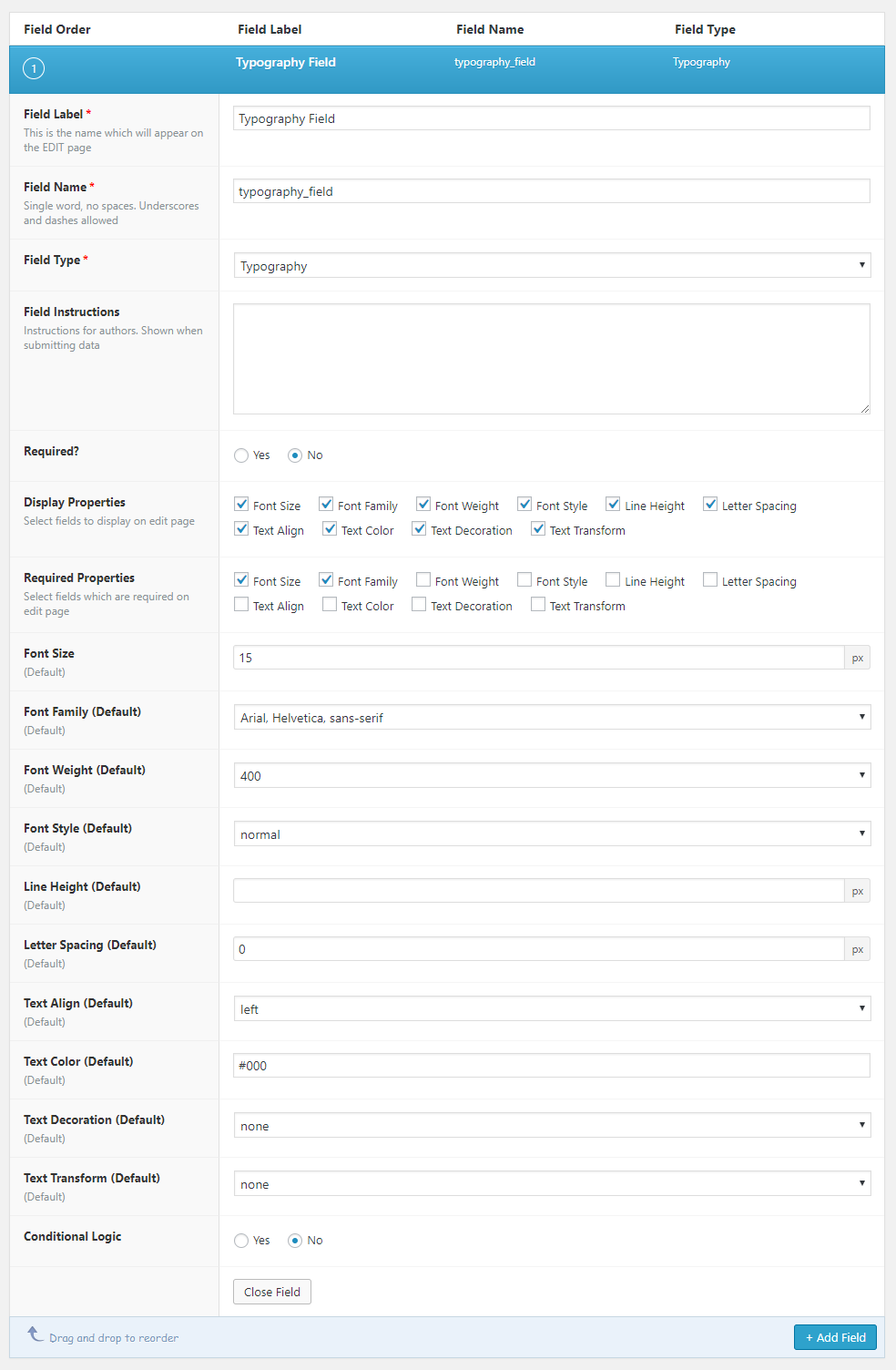
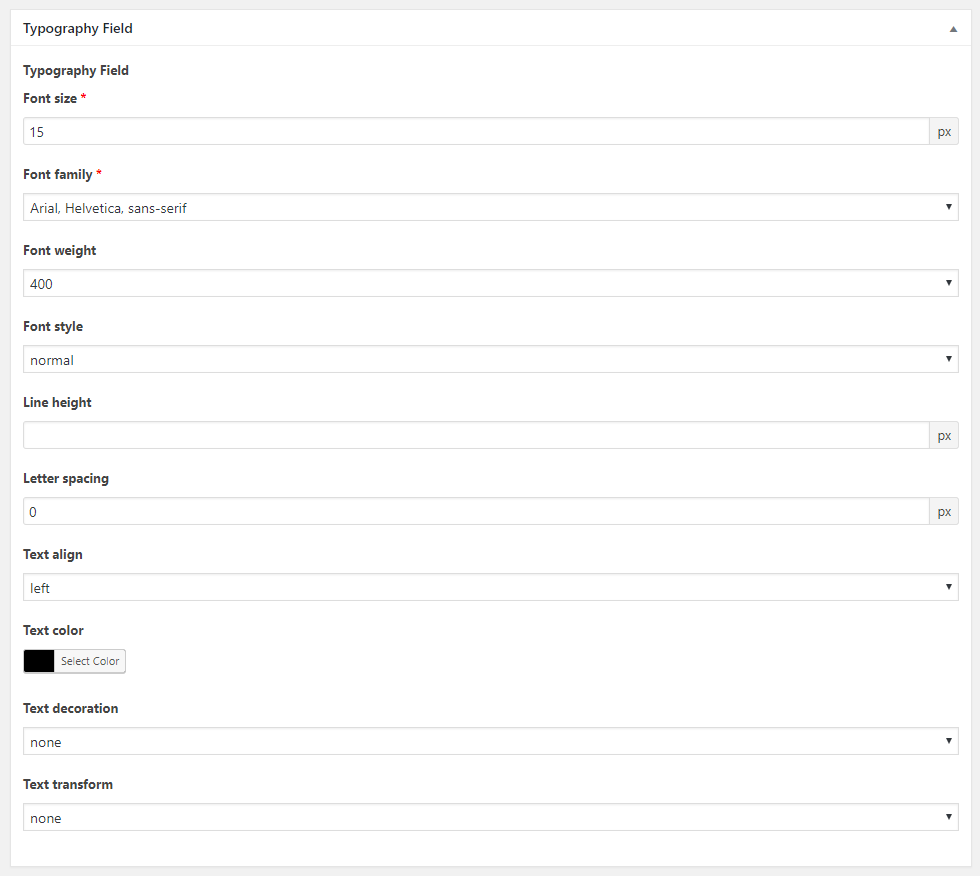
Supported Subfields
- Font Size
- Font Family
- Font Weight
- Font Style
- Font Variant
- Font Stretch
- Line Height
- Letter Spacing
- Text Align
- Text Color
- Text Decoration
- Text Transform
Other Features
- Supports Google Fonts. The selected Google Fonts are automatically enqueued on front-end of posts/pages. Google Fonts also work with ACF Options.
- Supports Gutenberg Blocks created with ACF.
- Option to show/hide each subfield individually
- Option to make each subfield required individually
- Color Picker for Text Color subfield
Documentation
// Returns the value of a specific property
get_typography_field( $selector, $property, [$post_id], [$format_value] );

// Displays the value of a specific property
the_typography_field( $selector, $property, [$post_id], [$format_value] );

// Returns the value of a specific property from a sub field.
get_typography_sub_field( $selector, $property, [$format_value] );

// Displays the value of a specific property from a sub field.
the_typography_sub_field( $selector, $property, [$format_value] );
Shortcode
[acf_typography field="field-name" property="font_size" post_id="123" format_value="1"]
The shortcode only reads Typography fields.
Github repository
Compatibility
This ACF field type is compatible with:
* Free and paid versions of the ACF plugin
Installs over time
Install
With WP-CLI, from your site’s root folder:
wp plugin install acf-typography-field --activate- Copy the
acf-typography-fieldfolder into yourwp-content/pluginsfolder - Activate the Typography plugin via the plugins admin page
- Google API Key is required for Google Fonts. Please add one by going to
WordPress Admin Dashboard > Settings > ACF Typography Settings
Or define it inwp-config.php:define( 'ACFT_GOOGLE_API_KEY', 'your-key' );(this overrides the settings page) - Create a new field via ACF and select the Typography type
- Please refer to the description for more info regarding the field type settings
FAQ
Q. Is it compatible with ACF Pro?
A. Yes. This plugin is compatiable with both free and paid ACF plugins.
Q. Does it support Google Fonts?
A. Version 3.0.0 and greater supports Google Fonts
Q. Why I do not see Google Fonts in the Font Family drop down?
A. Google API Key is required for Google Fonts. Please add one by going to WordPress Admin Dashboard > Settings > ACF Typography Settings
You can also define it in wp-config.php with define( 'ACFT_GOOGLE_API_KEY', 'your-key' );. If the fonts can’t be loaded, the settings page shows the reason.
If your site blocks outside requests with WP_HTTP_BLOCK_EXTERNAL, allow Google’s API: define( 'WP_ACCESSIBLE_HOSTS', 'www.googleapis.com' ); (add it to any hosts you already allow).
Q. Does it enqueue selected Google Fonts?
A. Yes. This plugin automatically enqueues user selected Google Fonts to front-end of posts/pages.
Q. Does it support Gutenberg Blocks?
A. Yes. This plugin does support Gutenberg Blocks created with ACF.
Q. How can I contribute?
A. Join in on Github repository @mujahidi/acf-typography