ACF Advanced Search
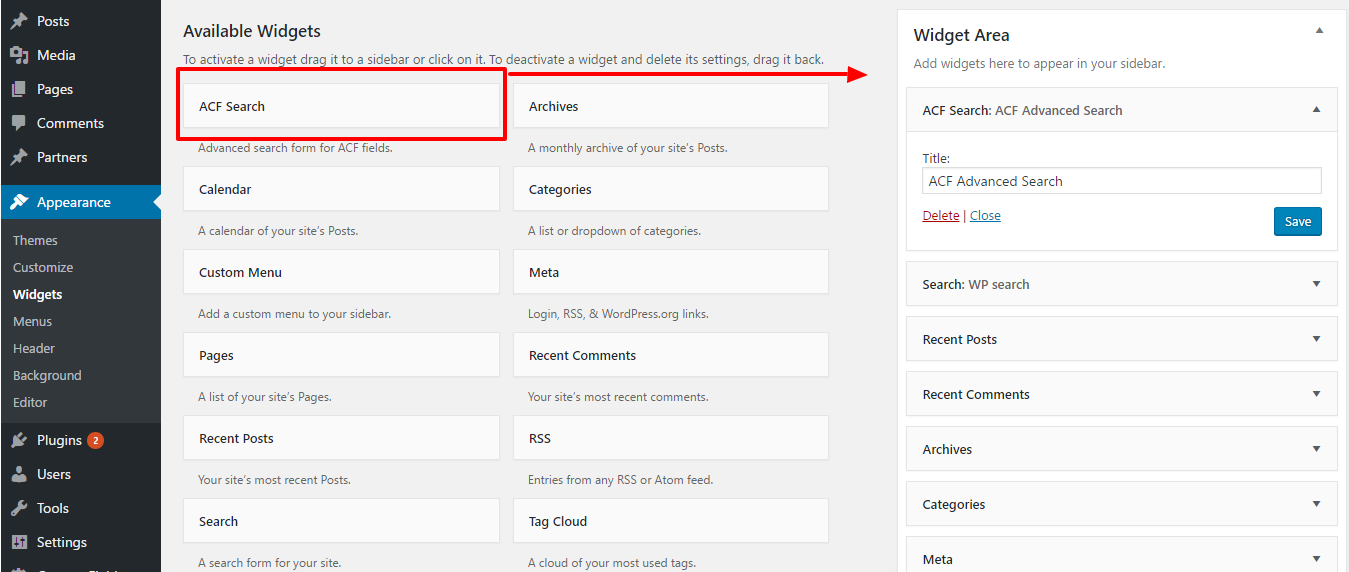
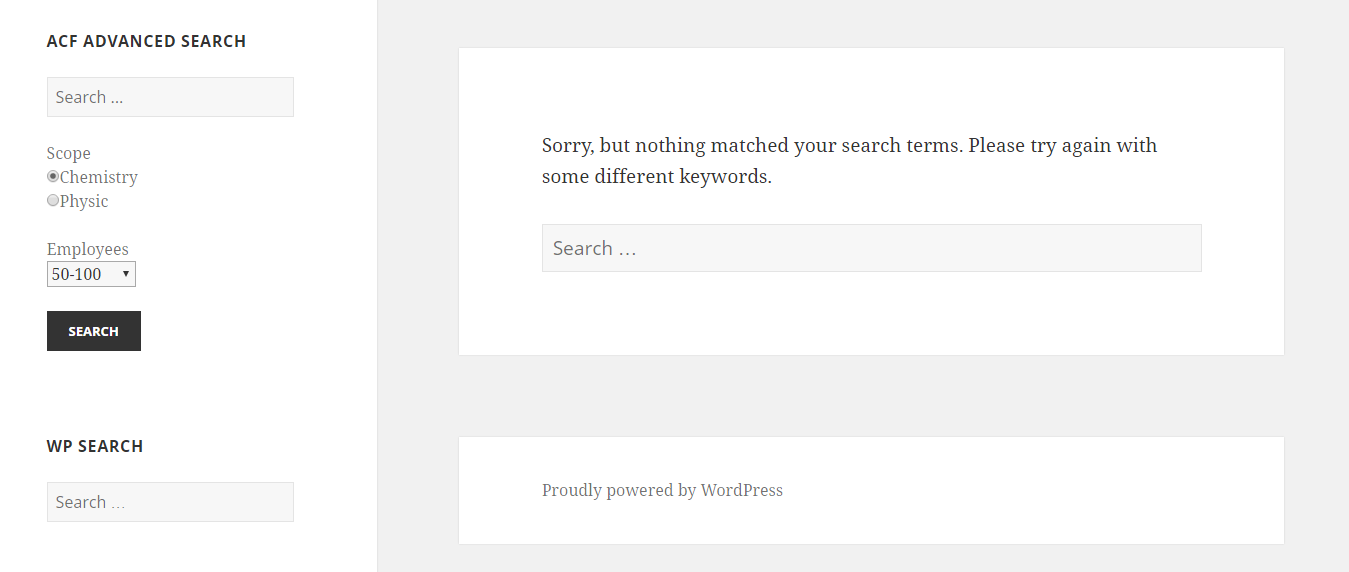
Extends the WordPress search widget and allows to search by content with filters in fields created using ACF.
By Victor Demianenko · Not updated since Mar 2017 · Free on wordpress.org
Description
This plugin extends the WordPress search widget and allows to search by content with filters in fields created using Advanced Custom Fields plugin. Free and Pro versions of ACF plugin are supported.
For displaying ACF fields in a single post can be used short code
[displayACFfields]
If you edit template in PHP editor you can use:
<?php echo do_shortcode('[displayACFfields]'); ?>
Installs over time
Install
With WP-CLI, from your site’s root folder:
wp plugin install acf-advanced-search --activateFAQ
Installation Instructions
Automatic installation
Automatic installation is the easiest option as WordPress handles the file transfers itself and you don’t need to leave your web browser. To do an automatic install of ACF Advanced Search, log in to your WordPress dashboard, navigate to the Plugins menu and click Add New.
In the search field type “ACF Advanced Search” and click Search Plugins. Once you’ve found our plugin you can view details about it such as the point release, rating and description. Most importantly of course, you can install it by simply clicking “Install Now”.
Manual installation
The manual installation method involves downloading ACF Advanced Search plugin and uploading it to your webserver via your favourite FTP application. The WordPress codex contains instructions on how to do this here.